ogm chat
https://chat.collectivesensecommons.org/agora/channels/ogm-fellowship-of-the-link
Collective Sense Commons chat service

Loading pushes...
Expanding this section will automatically generate an AI synthesis of the contributions in this node.
layout: post title: Working with iChat created: 1056598920 categories:
I just had my first "iChat experience". I downloaded iChat AV the other day, but I a) don’t have an AIM or .Mac account and b) didn’t know anyone else who did either.
Ian Wyatt sent out a note tonight wanting to test it and mentioning his .mac account. So, I went ahead and signed up for an account again. No, I’m not paying (although you do get a 60-day free trial), it was just to get an account to work with iChat (it’s boris_mann@mac.com).
We typed a bit, then I found out how to press the "talk" button. Very, very cool. Ian has an iBook and I have a flat-panel iMac, and we were both just using the built-in microphone. Excellent audio quality. If both people talked, you heard a bit of an echo as the mic picked up the sound coming from the speakers. I had my headphones on, so that didn’t happen for Ian.
My main disappointment with iChat is why Apple picked AIM to interoperate with. In Canada, hardly anyone has an AOL account, and I imagine outside the US it’s the same. So, why not pick something like Jabber, which is an open source protocol and likely to be anointed by the IETF as the messaging and presence protocol of choice?
And, since I have about 4 other IM accounts (all of which work with Fire), it’s annoying to have to run iChat as well.
Of course, with the audio quality I experienced, I can definitely imagine people going out and getting access to a Mac on either end of a connection.
From the menu items I was looking at, it seems like you can do a multi-person audio chat. Have to wait until some more Mac people are online at the same time.
BTW — Yahoo Messenger is the only cross-platform IM client I know of that supports audio and video.
layout: post title: "Wired News: 101 Uses for Apple iChat" created: 1060442160 categories:
Wired News writes about iChat uses:
Zeedar, a designer, programmer and writer from Santa Cruz, California, discovered he can use his camcorder to connect his TiVo digital video recorder to his Mac.This is cool. I could do this as well with my Canon DV camcorder. But, as the article goes on to point out, there really aren’t that many people with the setup, so it is hard to find someone to connect to. As they discuss the various registries available, I got to thinking about the social software stuff again. The registries described talk about organizing around regions or interest groups and such (and of course, video dating). Integrating this with your profile for these social software systems might provide the right level of “serendipity” or “randomness” (Don Park talked about this, discussion about it on this site) — people could instantly connect without having to go through whatever system these groups had in place. And yes, not just iChat A/V, but also any of the many kind of IM networks. Ideally, like Jabber, there should just be one icon for all IM systems — the group site could run a Jabber gateway to translate between the systems (thus protecting the use of their network — you still wouldn’t know how to contact the person directly unless they told you). An icon would indicate whether the person is online or not, and potentially a couple more icons to indicate audio and/or video capability.
title:: cabal.chat
Jerry Michalski
Jerry Michalski says:Dan, here's the event:
https://www.betaworks.com/event/render-tools-for-thinking

20:04
mathew
mathew says:my scrib(bl)e on Gordon's "demo" are on your agora's hedgedoc, @Flancian:
https://doc.anagora.org/s/tools-for-thinking <button class="pull-url autopull" value="https://doc.anagora.org/s/tools-for-thinking">pull</button>

20:07
me says:
https://anagora.org/tools-for-thinking <button class="pull-url autopull" value="https://anagora.org/tools-for-thinking">pull</button>

20:07
Chris Aldrich
Chris Aldrich says:Todays's shared notes:
Chris Aldrich says:
https://doc.anagora.org/fellowship-of-the-link?edit <button class="pull-url autopull" value="https://doc.anagora.org/fellowship-of-the-link?edit">pull</button>

20:07
me says:thank you so much mathew!
20:07
mathew
mathew says:😉
20:08
Jerry Michalski
Jerry Michalski says:the FoTL Mattermost channel is
https://chat.collectivesensecommons.org/agora/channels/ogm-fellowship-of-the-link

Jerry Michalski says:
https://web.hypothes.is/blog/say-hello-to-anno/

Jerry Michalski says:ah, paywalls
Jerry Michalski says:multiple people "scribed" the Render event. find them all here:
https://wiki.rel8.dev/scribing_tools_for_thinking <button class="pull-url autopull" value="https://wiki.rel8.dev/scribing_tools_for_thinking">pull</button>

Jerry Michalski says:(including some nice folks here)
Jerry Michalski says:Chris your notetaking is awesome
Jerry Michalski says:does that HedgeDoc page automagically become part of An Agora?
20:21
me says:Jerry: which hedgedoc?
me says:this?
https://doc.anagora.org/fellowship-of-the-link?edit# <button class="pull-url autopull" value="https://doc.anagora.org/fellowship-of-the-link?edit#">pull</button>

20:22
Jerry Michalski
Jerry Michalski says:yes
Jerry Michalski says:sometimes the comments are better than the content
20:23
me says:I think that's me writing 😃
20:23
Jerry Michalski
Jerry Michalski says:oh! Flancian, you're an amazing notetaker! (sorry!)
20:23
me says:(haha not at all, I just wanted to know if I was missing notes elsewhere!)
20:23
Jerry Michalski
Jerry Michalski says:nope
Jerry Michalski says:Chris took notes on a prior call you missed, so I made faulty assumptions...
20:24
me says:those notes were truly great 😃
20:24
Jerry Michalski
Jerry Michalski says:land trusts, other Commons model
20:25
mathew
mathew says:data unions: users share their data to train the AI; then benefit from the revenue from the AI.
20:26
Jerry Michalski
Jerry Michalski says:yes!
20:26
mathew
mathew says:all run via a DisCO, of course! 😉
20:27
Jerry Michalski
Jerry Michalski says:Commons that regulate markets
Jerry Michalski says:and build larger markets
Jerry Michalski says:adversarial interoperability
Jerry Michalski says:how to "incentivise" high-quality creators to add to the Commons?
Jerry Michalski says:and how do you create this economy in a way that's hard to disrupt?
Jerry Michalski says:Reddit Gold
20:30
mathew
mathew says:is Blendle still going?
20:34
Jerry Michalski
Jerry Michalski says:redwoods that grow close intertwine their roots to create stability and grow taller
20:34
me says:ranking, filtering
me says:FoAF
me says:(maybe)
me says:open algorithms -> open AIs
20:35
Jerry Michalski
Jerry Michalski says:IndieWeb important here
Jerry Michalski says:that, and I would love to be rewarded for curating my Brain... sigh
Jerry Michalski says:static content vs feeds
Jerry Michalski says:how to feed the garden(s)
Jerry Michalski says:
http://snarkmarket.com/2010/4890

20:43
mathew
mathew says:my notes on technopastoral:
https://myhub.ai/items/the-garden-and-the-stream-a-technopastoral-hapgood

20:44
Jerry Michalski
Jerry Michalski says:
https://hapgood.us/2015/10/17/the-garden-and-the-stream-a-technopastoral/

20:44
mathew
mathew says:The Future of the Internet Is Flow:
http://www.wsj.com/articles/the-future-of-the-internet-is-flow-1443796858

mathew says:both here, with a couple more:
https://myhub.ai/@mathewlowry/?tags=stream

mathew says:one more: Gardens, Not Graves :
http://alistapart.com/article/gardens-not-graves

20:46
Jerry Michalski
Jerry Michalski says:Mathew, never heard of that article. cool!
20:46
mathew
mathew says:You need a pipeline. From a few yrs back:
https://medium.com/the-mission/why-you-need-a-personal-content-strategy-ff05c84fccfd

mathew says:What I think tagged #content_strategy and #productivity:
https://myhub.ai/@mathewlowry/?quality=all&tags=productivity&tags=content+strategy&timeframe=anytime&types=think

20:49
Jerry Michalski
Jerry Michalski says:Dan, we usually run well over an hour. Do you have to leave at the hour, and if so, anything you want to add or ask?
20:51
Dan
Dan says:I do have to leave yes
20:52
mathew
mathew says:a hub is a library
mathew says:nice2meet u2
20:53
me says:thank you Dan!!!
20:54
mathew
mathew says:"Readwise looked at turning everything into blocks and do a block-based architecture ... developed a phase change metaphor ... to turn knowledge blobs into coherent texts for sharing... solids (documents) and ... fluid blocks (blobs of knowledge)."
20:55
Chris Aldrich
Chris Aldrich says:Something there reminded me of Jerry's question of zooming in and out and a UI experiment I saw yesterday:
https://ncase.me/nutshell/

20:55
mathew
mathew says:👍
mathew says:... and governments... (press releases)
20:57
Jerry Michalski
Jerry Michalski says:Nicky Case is cool!
Jerry Michalski says:let's dig deeper into orality!
20:58
mathew
mathew says:Btw, weren't we going to discuss creating a landscape of starting points for people interested in thinking tools?
20:58
Jerry Michalski
Jerry Michalski says:have link to the talk?
Jerry Michalski says:+1 Mathew
20:59
Dan
Dan says:
https://www.youtube.com/watch?v=GThr77PbJ4w

Dan says:
https://docdrop.org/video/GThr77PbJ4w/ <button class="pull-url autopull" value="https://docdrop.org/video/GThr77PbJ4w/">pull</button>

20:59
Chris Aldrich
Chris Aldrich says:
https://docdrop.org/ <button class="pull-url autopull" value="https://docdrop.org/">pull</button>
 as a tool for annotating video
21:00
Jerry Michalski
Jerry Michalski says:someone used docdrop to annotate a video podcast I did recently. very cool.
21:00
mathew
mathew says:reminds me of Twitter missing this ~10 yrs ago
21:01
Jerry Michalski
Jerry Michalski says:love this!
21:01
mathew
mathew says:What do you think of Noosphere, btw?
21:02
Chris Aldrich
Chris Aldrich says:Q: What did the big toe say to the little toe?
Chris Aldrich says:A: There's a fungus among us
21:05
mathew
mathew says:😄
mathew says:When I shared an appartment in Sydney with a few others, we had a commonbook in the lounge for messaging each other. Hilarious reading
21:07
me says:marginalia
21:08
Jerry Michalski
Jerry Michalski says:Mapping Tools for Thinking
https://bra.in/5qeDMg

21:13
mathew
mathew says:my first idea:
https://chat.collectivesensecommons.org/agora/pl/78gprua18frkpc6shrxabricqo

21:15
Chris Aldrich
Chris Aldrich says:how to ease the idea of satisficing the fediverse
21:15
Jerry Michalski
Jerry Michalski says:spider charts
21:16
mathew
mathew says:+1
mathew says:Back to the data union DisCO...
21:22
Jerry Michalski
Jerry Michalski says:bring in Ward Cunningham?
21:26
Chris Aldrich
Chris Aldrich says:Let's start a politbureau! 🤣
21:27
Jerry Michalski
Jerry Michalski says:perfect!
Jerry Michalski says:a Mandarin class!
Jerry Michalski says:can u repost the diagram link here?
21:28
me says:a distributed map of distributed thought
How many languages can #gptchat transcribe into IPA? Answer, quite a lot. Probably because I based this translation on Wikipedia, and it was trained on that. @iwsfutcmd https://t.co/gcjaxijemm
https://chat.collectivesensecommons.org/agora/channels/ogm-fellowship-of-the-link
Collective Sense Commons chat service
Email hosting for your own domain that starts at $0. Upgrade to $5/month for full features, including chat.
Looks like a great choice for small business. Wish it was open source.
https://github.com/RocketChat/Rocket.Chat
The communications platform that puts data protection first. - RocketChat/Rocket.Chat: The communications platform that puts data protection first.
/co show all COmmands, show as autocomplete
/co.tasks my task list works with /co+task "" [ ] /co.orga my orga list [ ] /co.orga /open/ : :my: orga list by regex [ ] /co.proj : :my: orga list by regex
/co? "open" : will :search: and show answers in chat [ ] /coPe? ou /co? p "open" : people search [ ] /coOr? "open" : orga search [ ] /coPr? "open" : project search [ ] /coEv? "open" : event search [ ] /co?. "open" : will :search: in my network and show answers in chat
/co+ : add an element
/co+ project "TOTOTOTO" [ ] /co+ :url: add type , fill metadata :chainedCommand:, keep lst added type and id /co+ person >invites /co+ project …etc
/co+ person "TOTOTOTO" : invites someone [ ] /co+ person "TOTOTOTO" orga:openatlas : invites someone on element [ ] /co+ email [ ] /co+ p email [ ] /co+ o :email: invites an organzation to join [ ] /co+ o :url: :> scans the url for content, anf for emails [ ] /co+ event "TOTOTOTO" startDate endDate [ ] /co+ news "fd dsfqdsf qds f :link: :tags: #tag :reference: @peop @orga" with auto complete [ ] /co+ news lastPost from chat [ ] /co+ vote "blab proposal" startDate endDate
/co++ : presents as questions
what : ex project where : ex openatlas title
/cotask @smarterre "" {{CODOO}} [ ] /cotask list [ ] /cotask@smarterre [ ] /cotask@oceatoon
/co+pad "qfds fdsfqdsfqdsf q" adds to my {{COPIMI}}
/colink person to person [ ] /colink bea to benoit
/color -2 pink, colors 2 posts before in light pink bg ideas [[/var/www/dev/modules/copiMe/md/colang.md]]
an organization with a RC instance just install links and invites all users to an element passed as param
We know that effective collaboration depends on the quality of the tools you use. One of the major challenges of COmmunecter is to connect the actors of a municipality, whether they are communities, citizens, associations or companies, so that they can communicate and collaborate together to make their future better.Rocket Chat is an open source communication tool that offers many collaborative features to optimize the experience of exchanges within one or more teams.
This guide aims to help you to master the use of Rocket.Chat on COmmunecter and to explain the meaning and use of the different specific commands created by COmmunecter.
In this documentation we show you how to access COmmunecter’s messaging and what other tools COmmunecter brings to make Rocket.Chat better.

Inside CO, Rocket.Chat is used as a means of communication for its members so that they can participate in discussions, moderate or manage chat rooms and share a set of good practices for a more efficient use of this means of communication.
Generally,the Rocket.chat inside COmmunecter is used with the same method as the Rocket.chat but with only a few additions to the slash command. If you still don’t know what Rocket Chat is and or how to manipulate it, I invite you to visit https://docs.rocket.chat to help you.
To access your messaging via COmmunecter, go to an element (for example your association’s page) and click on "Messaging".

For direct access into your chat without going through Communecter type https://chat.communecter.org. In this case, use the same username and password as when you connect to https://communecter.org.

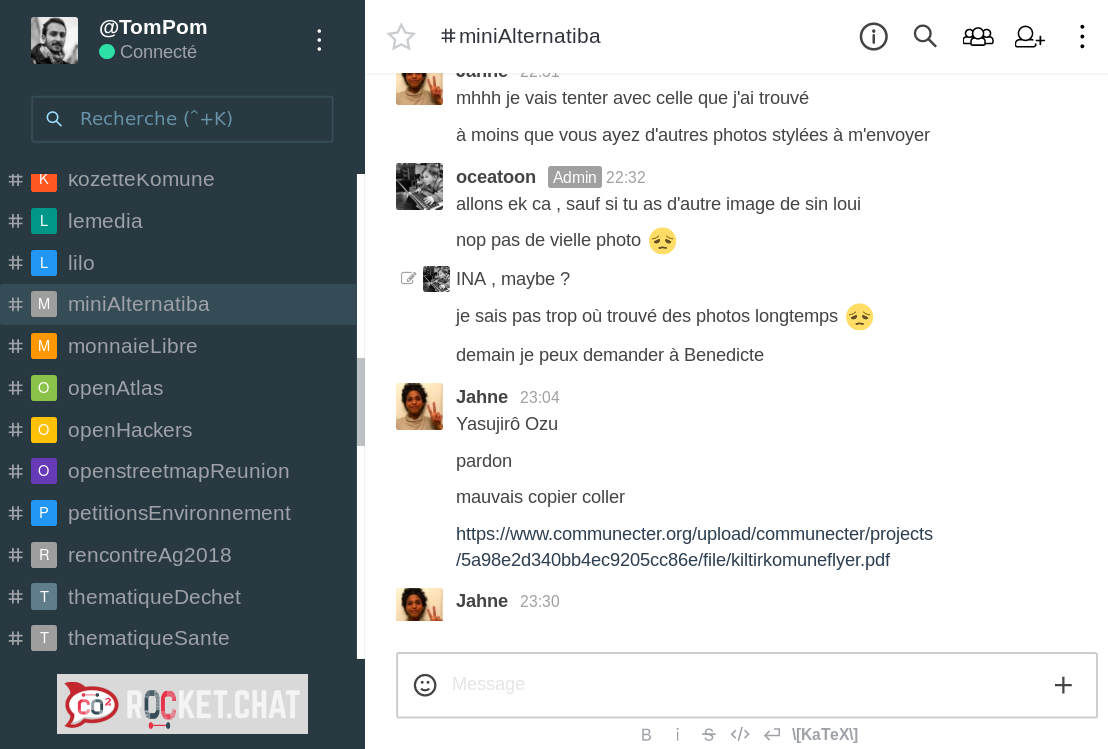
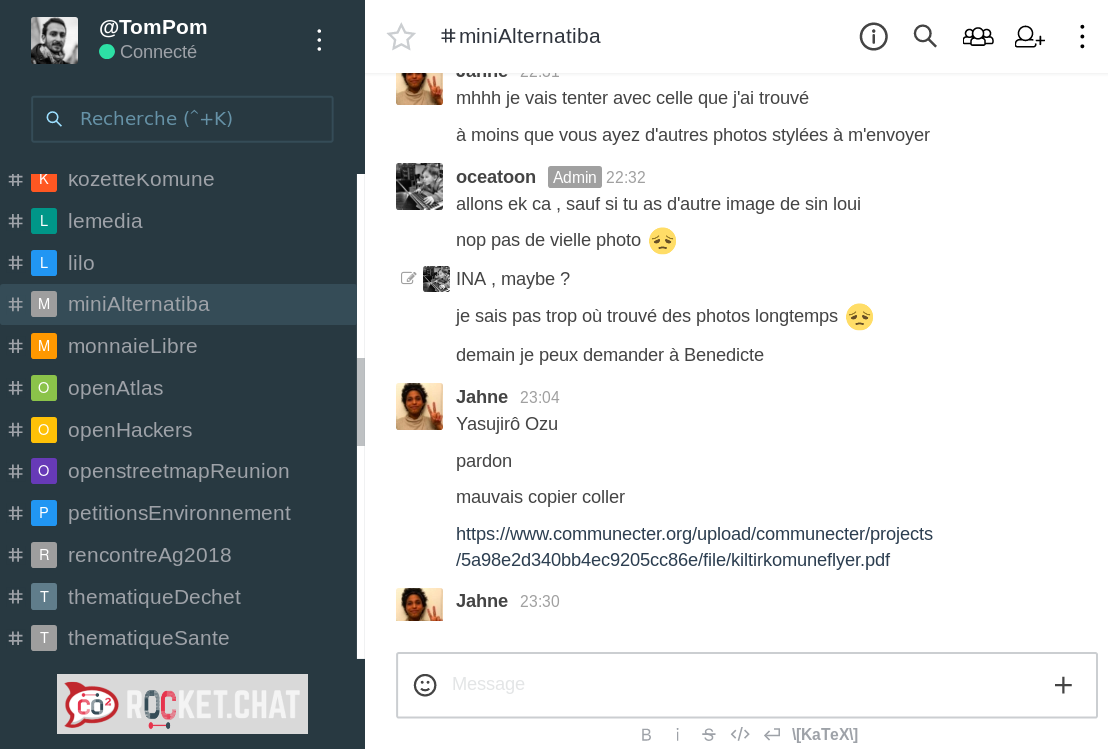
The left side panel presents the menu allowing you to access your preferences, customize the display, and find or create chat rooms.
The right side hosts exchanges when you select one of your chat rooms. On connection, no exchange is pre-selected: the home page is displayed.
This panel is reserved for the list of chat rooms in which you are registered. By default, they are sorted by discussion type (Channels, Private Groups, Private Messages) and within each type by date of last activity (most recently active at the top of the list).
Slash commands are Rocket Chat and COmmunecter tools designed to perform a task or interoperating with CO or OCECO.
To use a slash command, start by typing /, then type the command and press Enter. Some commands may require additional arguments, such as search terms, to create interesting material.
When you typing "/",then a menu which lists all the slash commands offered by COmmunecter on your server or by the options present by default in Rocket Chat appears , choose one, and press Enter.
| Command | setting | short description |
|---|---|---|
| /invite | @username | invite someone into a room |
| /invite-from-room | #channel | invite all users from a room to join an another room |
| /invite-to-room | #channel | invite all users of the room to join another room |
| Command | setting | Short description |
|---|---|---|
| /co-search | -the term to search | this command slash is used to search project present in COmmunecter |
| /co-search-user | @username | this command slash is used for search a user in COmmunecter |
| /co-whereiam | this command slash is used to return element url in COmmunecter of the current channel | |
| /co-check-add | this command slash is used for add check message on the channel | |
| /co-check-list | this command slash is used to show all check point history | |
| /co-set-annonce | this command slash is used | |
| /co-set-description | this command slash is used to set description of the channel (for element admins only) | |
| /co-set-annonce | this command slash is used to set annoucement of the channel(for element admins only) | |
| /co-set-topic | this command slash is used to set topic of the channel (for element admins only) | |
| /co-members-sync | this command slash is used to synchronizes the co-members of the project or organization (for element admins only) | |
| /co-add-news | this command slash is used for add news on the channel | |
| /co-add-wizard-event | this command slash is used to add event on the channel |
| Command | setting | Short description |
|---|---|---|
| /oceco-add-action | #projectSlug (if you are on the projects channel , no need to specify the projectslug)actionDesc @personAssigned | this command slash is used to add an action to a project |
| /oceco-list-comment-action | id | this command slash is used to show the list of comments for the action |
| /oceco-element-list-action | #channel | this command slash is used to list the actions of an OCECO element |
| /oceco-me-list-action | #channel | this command slash is used to list the actions to do in OCECO |
| /oceco-me-finish-action | id | this command slash is used to finish an action in OCECO |
| /oceco-me-search-acion | search | this command slash is used to search for a stock among its OCECO shares |
| /oceco-add-comment-action | id comment | this command slash is used to add a comment to an action |
| /oceco-add-task-action | id task | this command slash is used to add a task to an action |
| /oceco-list-task-action | id | this command slash is used to shows the list of the action’s task |
| /oceco-checked-task-action | id | this command slash is used for checked action’s task |
| /oceco-element-dashboard-action-numbers | #channel@username | this command slash is used to show the dashboard of action figures for a global oceco element or for a user |
pour l’intégration avec rocket chat la declaration de rcObj
/d7/modules/chat/views/default/rocketchat.php
tu pourras trouver tout ce qui est lié à
Yii::app()->params['rocketchatEnabled']
/co show all COmmands, show as autocomplete
/co.tasks my task list works with /co+task "" [ ] /co.orga my orga list [ ] /co.orga /open/ : :my: orga list by regex [ ] /co.proj : :my: orga list by regex
/co? "open" : will :search: and show answers in chat [ ] /coPe? ou /co? p "open" : people search [ ] /coOr? "open" : orga search [ ] /coPr? "open" : project search [ ] /coEv? "open" : event search [ ] /co?. "open" : will :search: in my network and show answers in chat
/co+ : add an element
/co+ project "TOTOTOTO" [ ] /co+ :url: add type , fill metadata :chainedCommand:, keep lst added type and id /co+ person >invites /co+ project …etc
/co+ person "TOTOTOTO" : invites someone [ ] /co+ person "TOTOTOTO" orga:openatlas : invites someone on element [ ] /co+ email [ ] /co+ p email [ ] /co+ o :email: invites an organzation to join [ ] /co+ o :url: :> scans the url for content, anf for emails [ ] /co+ event "TOTOTOTO" startDate endDate [ ] /co+ news "fd dsfqdsf qds f :link: :tags: #tag :reference: @peop @orga" with auto complete [ ] /co+ news lastPost from chat [ ] /co+ vote "blab proposal" startDate endDate
/co++ : presents as questions
what : ex project where : ex openatlas title
/cotask @smarterre "" {{CODOO}} [ ] /cotask list [ ] /cotask@smarterre [ ] /cotask@oceatoon
/co+pad "qfds fdsfqdsfqdsf q" adds to my {{COPIMI}}
/colink person to person [ ] /colink bea to benoit
/color -2 pink, colors 2 posts before in light pink bg ideas [[/var/www/dev/modules/copiMe/md/colang.md]]
an organization with a RC instance just install links and invites all users to an element passed as param
We know that effective collaboration depends on the quality of the tools you use. One of the major challenges of COmmunecter is to connect the actors of a municipality, whether they are communities, citizens, associations or companies, so that they can communicate and collaborate together to make their future better.Rocket Chat is an open source communication tool that offers many collaborative features to optimize the experience of exchanges within one or more teams.
This guide aims to help you to master the use of Rocket.Chat on COmmunecter and to explain the meaning and use of the different specific commands created by COmmunecter.
In this documentation we show you how to access COmmunecter’s messaging and what other tools COmmunecter brings to make Rocket.Chat better.
Inside CO, Rocket.Chat is used as a means of communication for its members so that they can participate in discussions, moderate or manage chat rooms and share a set of good practices for a more efficient use of this means of communication.
Generally,the Rocket.chat inside COmmunecter is used with the same method as the Rocket.chat but with only a few additions to the slash command. If you still don’t know what Rocket Chat is and or how to manipulate it, I invite you to visit https://docs.rocket.chat to help you.
To access your messaging via COmmunecter, go to an element (for example your association’s page) and click on "Messaging".
For direct access into your chat without going through Communecter type https://chat.communecter.org. In this case, use the same username and password as when you connect to https://communecter.org.
The left side panel presents the menu allowing you to access your preferences, customize the display, and find or create chat rooms.
The right side hosts exchanges when you select one of your chat rooms. On connection, no exchange is pre-selected: the home page is displayed.
This panel is reserved for the list of chat rooms in which you are registered. By default, they are sorted by discussion type (Channels, Private Groups, Private Messages) and within each type by date of last activity (most recently active at the top of the list).
Slash commands are Rocket Chat and COmmunecter tools designed to perform a task or interoperating with CO or OCECO.
To use a slash command, start by typing /, then type the command and press Enter. Some commands may require additional arguments, such as search terms, to create interesting material.
When you typing "/",then a menu which lists all the slash commands offered by COmmunecter on your server or by the options present by default in Rocket Chat appears , choose one, and press Enter.
| Command | setting | short description |
|---|---|---|
| /invite | @username | invite someone into a room |
| /invite-from-room | #channel | invite all users from a room to join an another room |
| /invite-to-room | #channel | invite all users of the room to join another room |
| Command | setting | Short description |
|---|---|---|
| /co-search | -the term to search | this command slash is used to search project present in COmmunecter |
| /co-search-user | @username | this command slash is used for search a user in COmmunecter |
| /co-whereiam | this command slash is used to return element url in COmmunecter of the current channel | |
| /co-check-add | this command slash is used for add check message on the channel | |
| /co-check-list | this command slash is used to show all check point history | |
| /co-set-annonce | this command slash is used | |
| /co-set-description | this command slash is used to set description of the channel (for element admins only) | |
| /co-set-annonce | this command slash is used to set annoucement of the channel(for element admins only) | |
| /co-set-topic | this command slash is used to set topic of the channel (for element admins only) | |
| /co-members-sync | this command slash is used to synchronizes the co-members of the project or organization (for element admins only) | |
| /co-add-news | this command slash is used for add news on the channel | |
| /co-add-wizard-event | this command slash is used to add event on the channel |
| Command | setting | Short description |
|---|---|---|
| /oceco-add-action | #projectSlug (if you are on the projects channel , no need to specify the projectslug)actionDesc @personAssigned | this command slash is used to add an action to a project |
| /oceco-list-comment-action | id | this command slash is used to show the list of comments for the action |
| /oceco-element-list-action | #channel | this command slash is used to list the actions of an OCECO element |
| /oceco-me-list-action | #channel | this command slash is used to list the actions to do in OCECO |
| /oceco-me-finish-action | id | this command slash is used to finish an action in OCECO |
| /oceco-me-search-acion | search | this command slash is used to search for a stock among its OCECO shares |
| /oceco-add-comment-action | id comment | this command slash is used to add a comment to an action |
| /oceco-add-task-action | id task | this command slash is used to add a task to an action |
| /oceco-list-task-action | id | this command slash is used to shows the list of the action’s task |
| /oceco-checked-task-action | id | this command slash is used for checked action’s task |
| /oceco-element-dashboard-action-numbers | #channel@username | this command slash is used to show the dashboard of action figures for a global oceco element or for a user |
pour l’intégration avec rocket chat la declaration de rcObj
/d7/modules/chat/views/default/rocketchat.php
tu pourras trouver tout ce qui est lié à
Yii::app()->params['rocketchatEnabled']
